Summary
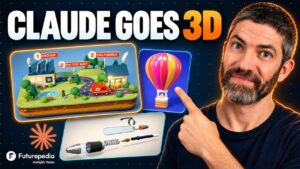
This tutorial shows how to pair Claude Fable 5.2 with Blender to build 3D scenes from plain-language prompts, then turn them into cinematic AI video using Higgsfield. Rather than modeling every element by hand, the creator lets Claude plan, build and check its own work inside Blender while the viewer watches.
The walkthrough begins with setup: adding the Higgsfield MCP link as a custom connector in Claude Desktop, installing the Blender connector, and adding the Blender MCP add-on so the app can receive Claude’s commands. From there, four use cases are demonstrated. A colorful bird flying from a dense forest to an open savannah with a tracking camera. A fantasy game world with floating islands and flying creatures. A product ad for a canned mocktail built from a reference image. And a Red Bull-style commercial of a skydiver landing in a green field.
The key idea is that Blender locks in the camera path and scene layout first, so the video model is not guessing and fewer generations are wasted. Because the scene stays a real 3D file, users can adjust angles, push-ins or macro shots before sending anything to Higgsfield. The video also touches on Blender 5.3’s improved animation and camera tools, and suggests uses in concept art, game pitches, product advertising and real estate walkthroughs.
📺 Source: Zinho Automates · Published November 13, 2026
🏷️ Format: Tutorial Demo