Summary
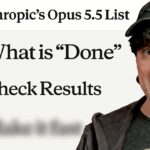
Nate Herk shows how he uses Anthropic’s Opus 5.5 to edit videos from a single natural-language prompt. The intro of the video itself was edited this way, with motion graphics, sound design, B-roll, screenshots, and generated images all handled by the model.
The tool at the center of the workflow is Hyperframes, a free tool that lets Claude Code write and animate HTML. Herk explains setup, which involves pointing Claude Code at the GitHub repo, and shows how transcription with the ElevenLabs API or a local Whisper model helps time animations precisely. He walks through the exact prompt he used, including instructions for animated Claude and OpenAI logos over liquid glass cards, highlighted text, and overlays for readability, and notes where the model added its own creative touches such as subtle zooms.
He also demonstrates a one-shot branded intro and a sizzle reel built from a 105 GB folder of event footage, which took three prompts in total. Herk mentions a free website design skill called ScrollCraft and a Hyperframes student kit. The video is a practical look at what current models can do for video production.
📺 Source: Nate Herk | AI Automation · Published September 25, 2026
🏷️ Format: Tutorial Demo