Summary
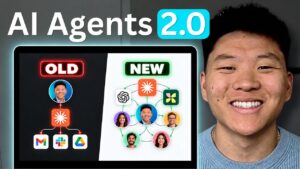
Claude’s “record a skill” feature — accessible in the Claude desktop app’s co-work tab — lets users automate repetitive tasks by demonstrating them on screen rather than writing prompt descriptions. Creator Ben AI walks through the feature, which captures screen activity, clicks, keystrokes, and voice narration to build a reusable automation that Claude can run independently going forward.
The video grounds its argument in Michael Polanyi’s concept of tacit knowledge — the observation that “we know more than we can tell” — to explain why screen recording outperforms text prompting for skill creation. Edge cases and nuanced decision rules surface naturally when performing a task live, but go unmentioned when trying to describe the process from memory. Ben demonstrates this concretely by building a Gmail inbox-triaging skill that categorizes incoming mail, flags messages needing replies, auto-drafts responses in the user’s voice, and applies labels and forwarding rules — all from a single recorded walkthrough.
Four best practices are covered in depth: start with a narrow MVP scope rather than trying to record an entire workflow at once; prepare all relevant tabs and tools before hitting record; state the goal explicitly at the start of the recording for context; and use the same recording feature to provide iterative feedback after the first automated run. The presenter notes that the feedback loop — running the skill, reviewing its output, and re-recording corrections — is how skills move from rough automation to reliable hands-off execution.
📺 Source: Ben AI · Published August 26, 2026
🏷️ Format: Tutorial Demo