Summary
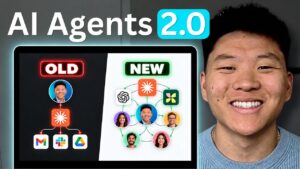
A coordinated wave of releases from OpenAI, Anthropic, and xAI has introduced a meaningful new tier of AI capability: persistent cloud-based browsers and computers that can operate autonomously while the user is away. This video from The AI Advantage breaks down what distinguishes each offering—Claude co-work’s built-in desktop browser, ChatGPT’s cloud browser (still rolling out), and Grok Bot’s full cloud computer with file system and application access—tracing the evolutionary ladder from basic web search through Chrome extensions, MCP integrations, and now true cloud compute.
The practical demonstrations are the core of the video. Use cases shown include auditing subscription services like ElevenLabs and Midjourney by letting the AI navigate your account directly and generate usage reports, pulling YouTube Studio analytics without CSV exports or API configuration, and building recurring automated workflows that previously required engineering effort. The key insight is that authenticated browser access eliminates a major friction point: most services don’t have MCP connectors, so direct browser navigation opens up data sources that were previously difficult to reach programmatically.
For anyone trying to decide which platform to prioritize, the video provides a clear framework: Claude co-work’s browser requires the desktop app running locally, ChatGPT’s cloud browser is truly remote but still limited in availability, and Grok Bot’s full computer is the most capable but highest-commitment option. Settings paths for enabling each are covered, along with honest notes on what the team could and couldn’t get working during testing.
📺 Source: The AI Advantage · Published August 28, 2026
🏷️ Format: Tutorial Demo