Summary
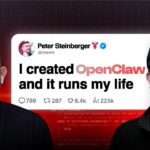
VelvetShark catalogs nine real-world automations and four advanced builds that active users are running daily with OpenClaw (formerly ClawdBot), the self-hosted AI assistant framework by Peter Steinberger. Rather than listing theoretical capabilities, the video draws on documented community deployments: morning briefings that aggregate calendar, weather, and email by 7 AM; email triage that drafted a dispute letter assertive enough to prompt Lemonade Insurance to reopen a rejected claim; and a session where OpenClaw drafted 21 investor outreach emails in one go for a startup founder.
Business use cases include a Slack-monitoring bot that answers employee and customer questions, routes important notifications to Telegram, and once autonomously identified and patched a production bug without being asked. The video addresses safety directly after describing a real $120 incident: a user’s agent retried a failing pip install for six hours overnight with no timeout or retry cap, burning through API calls until morning. The recommended guardrails—max retry limits, per-session cost caps, and strict permission scoping—are presented as prerequisites for running more powerful automations, not optional add-ons.
The “wild builds” section covers a roof camera that triggers on aesthetic criteria (“pretty sky” versus motion), an e-ink TRMNL dashboard that generates a new wood-carving-style historical image every morning at 4 AM, and Nader Dabit’s fully autonomous daily app generator: a cron job that searches Twitter for viral AI trends, writes a working application inspired by the trend, pushes it to GitHub, and sends a link—every day, without prompting. The Clawdiverse.com community showcase is highlighted as an additional resource for deployment inspiration.
📺 Source: VelvetShark · Published January 31, 2026
🏷️ Format: Showcase