Summary
Web Dev Cody demos Mission Control, a custom agentic development environment (ADE) he built to address limitations he found in existing tools like Cursor, Codeex, Klein, and Herder. The video walks through the core workflow: fast project switching via Command+U, project pinning, and ecosystem grouping that lets developers jump between multiple concurrent coding sessions using keyboard shortcuts. Every action in the app is hotkey-driven, from opening terminal sessions (Command+N) to fuzzy-searching past Claude conversations by keyword.
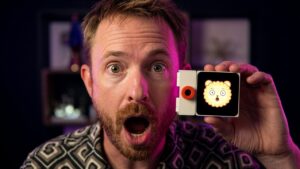
Notable features shown include Git worktree management for running parallel feature branches, one-command project launch and teardown (Command+Period), integrated voice-to-text via Whisper, a split terminal view, and animated pet notifications that jump and flash when an agent session needs human input — making it easy to track multiple running agents across different projects simultaneously. A community contributor added the pet system and the split terminal.
The video also reflects on the philosophy behind building custom tooling: as agentic coding scales to many concurrent sessions across client work and personal projects, existing IDEs lack the project-management layer needed to stay oriented. Cody argues that centralized navigation, session history search, and fast context-switching are essential when running multiple Claude Code agents at once — capabilities current market tools handle poorly.
📺 Source: Web Dev Cody · Published July 24, 2026
🏷️ Format: Hands On Build